

































ChatGPT Still Rules Google Searches in 2026: The Hottest AI Productivity Tools Transforming Work Right Now
ChatGPT Tops Google Searches 2026 | Best AI Productivity Tools Trending Now

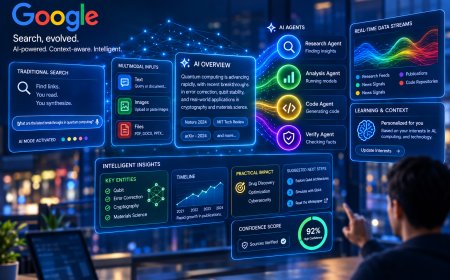
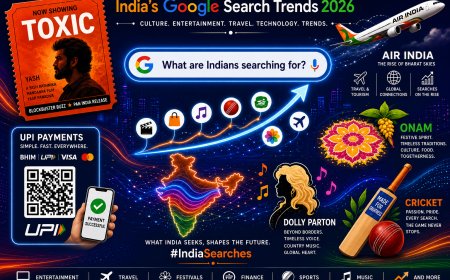
ChatGPT remains one of the most searched terms on Google in 2026, consistently ranking in the global top 5 alongside everyday giants like YouTube, weather, Amazon, and Google itself. With over 300 million monthly searches in recent data and more than 900 million weekly active users, it has become the default entry point for millions of people exploring artificial intelligence. Yet the real story in September 2026 is no longer just about asking ChatGPT questions. The productivity landscape has evolved into a powerful ecosystem of specialized AI tools that turn simple prompts into completed work, automated workflows, and measurable time savings.
People are shifting from “asking” to “doing.” Workplace users are more than twice as likely to use ChatGPT and similar tools to finish tasks — writing reports, analyzing data, generating code, creating presentations, and managing projects — compared to casual personal use. OpenAI’s latest insights show that multimedia generation (images, charts, and even video) now accounts for nearly 8% of global messages and is growing fastest in emerging markets. At the same time, Google’s Gemini, Anthropic’s Claude, Microsoft 365 Copilot, Notion AI, and Perplexity are carving out strong positions by integrating deeper into existing workflows.
Here is a deeper look at the current trending AI productivity tools and how they are being used in real workplaces right now:
1. ChatGPT (OpenAI)
Still the most searched and most widely adopted tool. With new Data Agents and stronger enterprise connections, it can pull from company files, investigate changes, build interactive dashboards, and handle multi-step research. Ideal as a flexible all-rounder for drafting, brainstorming, coding assistance, and quick analysis. Free tier remains powerful; paid plans unlock advanced agents and higher limits.
2. Google Gemini
Deeply woven into Gmail, Drive, Docs, Sheets, Slides, and Chat. In September 2026 updates, Gemini can gather context from selected emails and files, then automatically create polished Docs, Sheets, or presentations. Perfect for teams already living inside Google Workspace. Its rapid growth in web visits and monthly active users makes it the strongest challenger to ChatGPT for everyday office work.
3. Claude (Anthropic)
Standing out for long-context understanding, nuanced writing, and reliable coding support. Many knowledge workers and developers prefer Claude when accuracy and depth matter more than speed. Its agentic features and strong performance on complex documents continue to gain traction, especially among professionals handling lengthy reports or technical work.
4. Microsoft 365 Copilot
The natural choice for organizations built on Word, Excel, PowerPoint, Outlook, and Teams. Copilot works inside the tools people already use every day, summarizing meetings, drafting emails, analyzing spreadsheets, and generating slides with company data. Recent agent capabilities further reduce the need to switch between apps.
5. Notion AI
Transforms Notion into a true AI-powered knowledge and project hub. Users can search across workspaces, auto-generate summaries, draft content, manage databases, and deploy simple agents — all without leaving the platform. Ideal for teams that keep documentation, tasks, and knowledge in one place. Recent additions include model choice, better analytics, and deeper integrations.
6. Perplexity
The go-to for research that requires citations and live web data. Instead of generic answers, it delivers sourced responses that users can verify. Highly popular among analysts, marketers, and anyone who needs trustworthy information quickly.
7. Specialized & Emerging Tools
- Presentation generators such as Gamma and Presenti turn text prompts into polished slide decks in seconds.
- Meeting assistants (Otter.ai and similar) automatically transcribe, summarize, and extract action items.
- Task and calendar tools with AI (Todoist AI, Reclaim, Motion, ClickUp Brain) intelligently schedule, break down projects, and protect focus time.
- Coding-focused platforms like Cursor continue to rise rapidly among developers for context-aware assistance.
Key Trends Driving Adoption in Late 2026
- Agentic AI: Tools no longer wait for every instruction. They plan steps, use connected apps, produce outputs, and ask for approval only when needed.
- Multi-tool stacks: The highest-performing users combine a general assistant (ChatGPT or Claude) with specialized tools for meetings, tasks, presentations, and research rather than relying on a single platform.
- Workplace vs. personal use: Productivity gains are far higher when AI is applied to actual work deliverables instead of casual exploration.
- Global expansion: Adoption is accelerating fastest in Latin America, Africa, and parts of Asia, closing the earlier gap with North America and Europe.
- Measurable impact: Users report significant time savings — often 10+ hours per week — through automation of repetitive writing, research, scheduling, and status reporting.
How to Build Your Own AI Productivity Stack Start with ChatGPT or Gemini as your daily driver. Add one meeting tool, one task/calendar AI, and one presentation or document specialist. Connect them where possible so information flows without constant copying and pasting. Focus on tools that reduce context-switching and handle the parts of your job that feel most repetitive or time-consuming.
The search dominance of “ChatGPT” proves that AI has entered the mainstream. But the professionals and teams seeing the biggest gains in 2026 are the ones moving beyond basic chat into full AI-powered workflows. The tools are mature, the integrations are stronger, and the results — faster delivery, higher output quality, and more time for high-value work — are now clearly measurable.
Whether you are a solo creator, a developer, a manager, or part of a growing team, the current generation of AI productivity tools offers practical, immediate ways to work smarter. The question is no longer whether to use them, but which combination will best amplify the way you already work.
What's Your Reaction?
 Like
0
Like
0
 Dislike
0
Dislike
0
 Love
0
Love
0
 Funny
0
Funny
0
 Angry
0
Angry
0
 Sad
0
Sad
0
 Wow
0
Wow
0